
At the beginning it was a challenge to connect a 3 pin PC fan to the Loxone Miniserver but now I find it very easy.
First you have to set up Your digital input as a frequency input to be able reading the speed
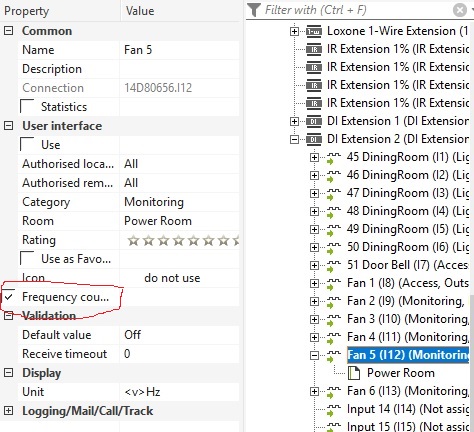
To translate in Hz or rpm I use the block Wind Gauge, to have the correct rpm value at the output AQ I set the:
T:Averaging – time to – ( 0 ) for instant rpm display
F:Factor to – ( 30 )
W:Wind speed alarm I set it up to 50 Hz beacuse my fan it was 1800 rpm (60 Hz)
with this AQ will give me for display 1800 rpm
